01 / CONTACTS
Know who you’re visiting
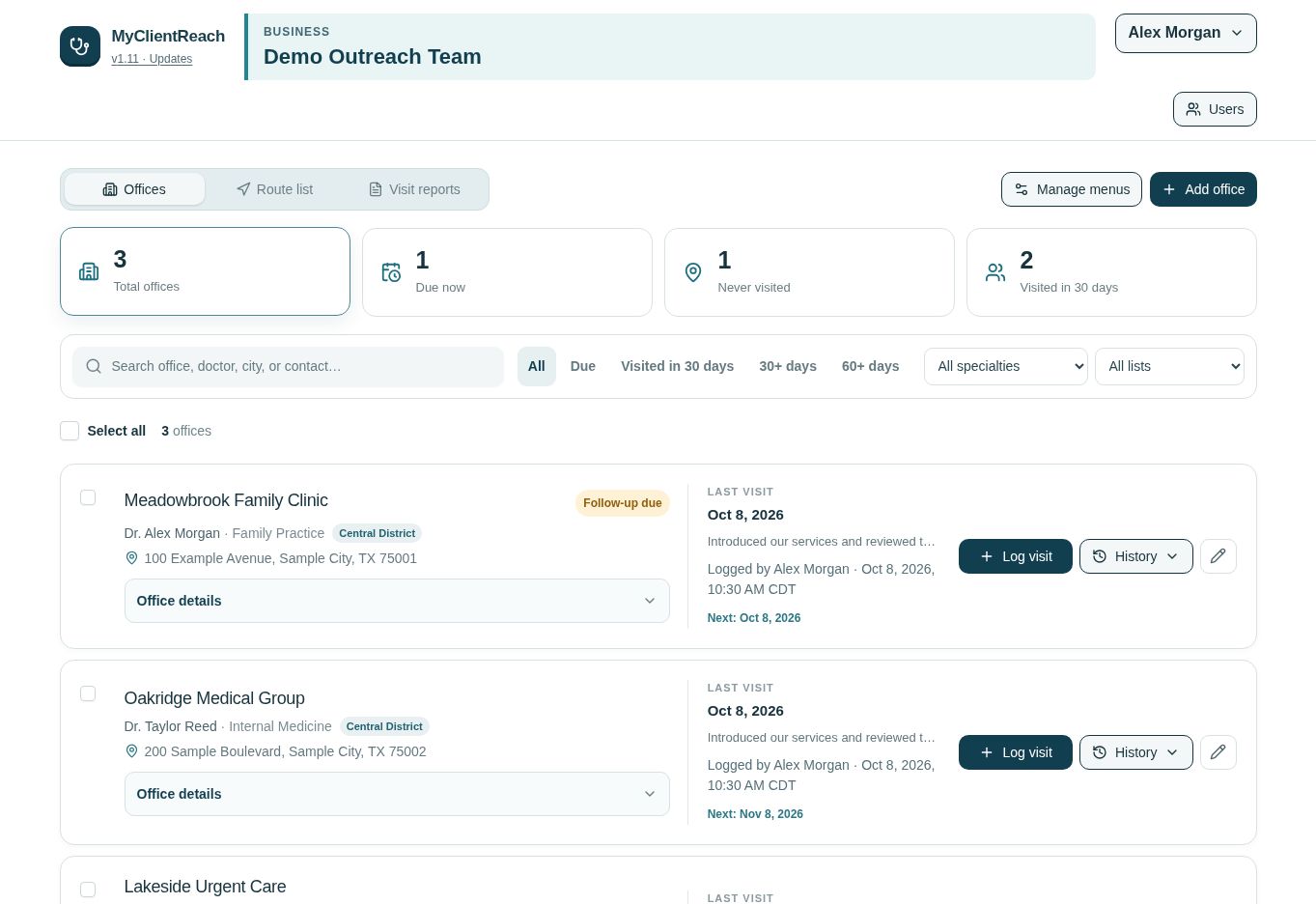
Keep addresses, doctors, contacts, phone numbers, and office notes in a shared profile. Search by name, specialty, or list.
Select your type of business
Visits, routes & relationships
Keep contacts, conversations, and follow-ups in one place. MyClientReach helps your team stay organized before, during, and after every outreach visit.
14-day trial · Then $25/month for 2 users · $10/month per additional user
A closer look at MyClientReach
Office profiles. Visit history. Your next follow-up.
The essentials, together
Built for teams visiting referral offices, schools, and other business contacts. Explore each feature below with a real app screenshot.
All offices, doctors, contacts, and locations shown are fictional examples. Select a screenshot to enlarge it here. Close the viewer to return to the features.
Keep addresses, doctors, contacts, phone numbers, and office notes in a shared profile. Search by name, specialty, or list.
Log who you met, what you discussed, and materials left. Names and timestamps show who added or updated each visit.
Set the next visit date and find offices that are due, never visited, or visited recently.
Save route lists and choose RouteXL or Google Routes. Google Maps links stay at the top of each route, ready to open navigation and return to log visits. Running Google Routes again refreshes the links.
These working examples use public Dallas landmarks. Your workspace links use the offices in your saved route.
Schedule a visit for a specific date and time directly from an office or route stop. Vendor teams can plan a general facility visit or a meeting with a specific surgeon or doctor. Log the completed visit from the Schedule tab to keep plans and activity connected.
Review visits by date, month, quarter, or year. Vendor reports can be filtered by territory, facility, surgeon, and the user who logged the visit. See visit and facility totals, conversation notes, food and materials, and author timestamps. Print compact reports or download a PDF directly.
Create Admin or Staff accounts and send a branded MyClientReach invitation automatically. Starter includes two active users. Workspace Admins can purchase additional users for $10 per user per month, and the app enforces the paid limit.
Vendor Admins open Territories from their profile menu to see coverage by territory or team member. Search assignments, spot unassigned territories, and update coverage while keeping shared workspace access.
Your visit, start to finish
Choose contacts and save your route list for the visit date.
Open navigation, return to your route, and log notes as you go.
Set follow-ups and review the work in a visit report.
Get started
$25 / month
2 users included · $10/month per additional user
Start with a 14-day free trial. No card required.
Your trial begins when your workspace is set up and activated.
Tell us about your business. We’ll create your workspace and email your sign-in instructions.
Already have an account? Sign in